
Use-Case Guides · 7 min read
How to Record a Thanksgiving Video Message (With Scripts)
Lengths by who’s watching, one real thank-you instead of a list, six scripts to adapt, and a phone setup you can finish before the cooking starts.
Tom Baranowicz
Creator of GoTeleprompter · Published
A Thanksgiving video message works best at 30–60 seconds. Say their name, thank them for one specific thing from this year, and sign off the way you would at the table. At a normal pace of about 140 words per minute, that's 70–140 words. Record it on your phone a day early, facing a window, and send it the day before or on Thanksgiving morning.
Below you'll find lengths by who's watching, and a way to make the thank-you specific. There are five scripts to adapt, plus a phone setup you can finish before the cooking starts. To turn a length into a word count, use the word budget calculator.
How long should a Thanksgiving video message be?
Shorter than a toast. At about 140 words per minute, 30 seconds is roughly 70 words, and a full minute is 140. Here's a guide by who's watching:
| Who it's for | Length | Words (at ~140 WPM) | When to send |
|---|---|---|---|
| A parent or grandparent you won't see | 45–60 seconds | 105–140 | Wednesday evening or Thursday morning |
| A friend or a group chat | 20–30 seconds | 45–70 | Thursday morning |
| One client | 20–40 seconds | 45–90 | Monday or Tuesday of Thanksgiving week |
| Your team | 30–60 seconds | 70–140 | The last working day before the holiday |
| A teacher or coach | 20–30 seconds | 45–70 | The last school day before the break |
Not sure? Thirty seconds is a safe default. It's long enough for one real thank-you, and short enough that people watch to the end. Paste your draft into the read-time estimator to check it.
What to say: one real thank-you
Thanksgiving is the one holiday that's about gratitude, so the message has one job. Thank them for something, and make it something only they did.
- Their name, and why you're sending a video. "Hi Grandma. I can't be at your table this year, so I wanted you to see my face."
- One specific thank-you. What they did, and what it changed for you. One thing, not a list.
- A sign-off you'd say in person. "Save me a slice of pie." "Call you after dinner." "See you at Christmas."
Vague vs. specific
The middle line is where most messages go generic. Compare:
| Vague | Specific |
|---|---|
| "Thanks for everything this year." | "Thanks for driving me to every physio appointment in March." |
| "We appreciate your business." | "Thanks for trusting us with the spring launch, and for staying calm when the date moved." |
| "You're a great teacher." | "Thanks for staying after class to help Leo with fractions. He finally gets them." |
| "Thanks for being a great team." | "Thanks for covering support in August when we were two people short." |
One line like the ones on the right does more than a minute of general gratitude.
Thanksgiving video message scripts
Swap in your own names and details. Lines in brackets are prompts. Say those parts in your own words instead of reading them.
To a parent or grandparent you won't see (about 50 seconds)
Hi Grandma, happy Thanksgiving. I'm sorry I can't be at your table this year, so I wanted you to see my face instead of just a text.
[Prompt: the summer visit. Teaching Maya the cornbread.]
Maya still talks about making your cornbread in July. Now she won't let anyone else hold the bowl. We're making it today, and I'll send you a photo, even if it's not as good as yours.
Thank you for always making room for everyone. We love you, and we'll call after dinner.
To a friend (about 25 seconds)
Happy Thanksgiving, Jess! I'm grateful for a lot this year, and the weekend you spent helping me move is near the top of the list. Three flights of stairs, one couch, and not a single complaint. Enjoy the food. The next pizza's on me.
To a client (about 35 seconds)
Hi Sarah, it's Alex from Fieldnote Studio. Happy Thanksgiving.
I wanted to say thank you properly, not in another email. This year you trusted us with the spring launch. When the deadline moved up in April, you were the one who kept everyone calm, and that made the difference.
Enjoy the long weekend, and save me a slice of pie.
To your team (about 45 seconds)
Hi everyone. Before we all head off for the long weekend, I want to say thank you on camera, not just in Slack.
[Prompt: August, two people short. Name who covered.]
In August we were two people short. Dana and Luis covered support for three weeks, and not one customer noticed. That's the kind of team this is.
So please actually log off. Eat too much, sleep in, and I'll see you on Monday. Happy Thanksgiving.
To a teacher or coach, from a parent (about 25 seconds)
Hi Ms. Patel, happy Thanksgiving from Leo and the whole Garcia family. Thank you for staying after class to help Leo with fractions. Last week he told us math is "actually okay now," which is a first. We're so glad you're his teacher. Enjoy the break!
If your child wants to say the last line, let them. Kids sound best with one short line they chose themselves.
For the host, if you're missing dinner
Want it played at the table? Ask the host first. Keep it under 30 seconds, and record it horizontally so it looks right on a TV or a laptop. Send it the day before, while they still have time to check their phone.
Hi everyone at Aunt Carol's! Sorry I'm missing the turkey this year. I'm grateful for every one of you, and especially for Carol, who's hosted for eleven years in a row. Save me the corner of the stuffing. Happy Thanksgiving!
Read and record in one take on iPhone and iPad, or float your script over calls on Mac. Free to start.
How to record it in ten minutes
You don't need new gear. A phone from the last few years and a quiet corner are enough.
- Record before the cooking starts. Thanksgiving kitchens are loud: the range hood, the dishwasher, the parade on TV. Record the day before, or first thing in the morning, in a room with a sofa, curtains, or a rug to soak up echo.
- Face a window. Light in front of you, not behind. A window behind you turns you into a silhouette.
- Phone at eye level, an arm's length away. A stack of books works as a tripod. Frame your head and shoulders.
- Pick the orientation for where it's going. Vertical for a text or WhatsApp. Horizontal if it'll play on a TV or go out by email.
- Put your words next to the lens. Big text, a few words per line, right under the front camera. Your eyes stay where the viewer is instead of dropping to your notes.
- Wait a beat, smile, then speak. Leave a second of silence at the end too, so the last word doesn't get cut off.
- Do two takes and send the warmer one. It's usually the second.
Sounding stiff when you read? The guide on how to read a teleprompter naturally covers pauses, emphasis, and where to look.
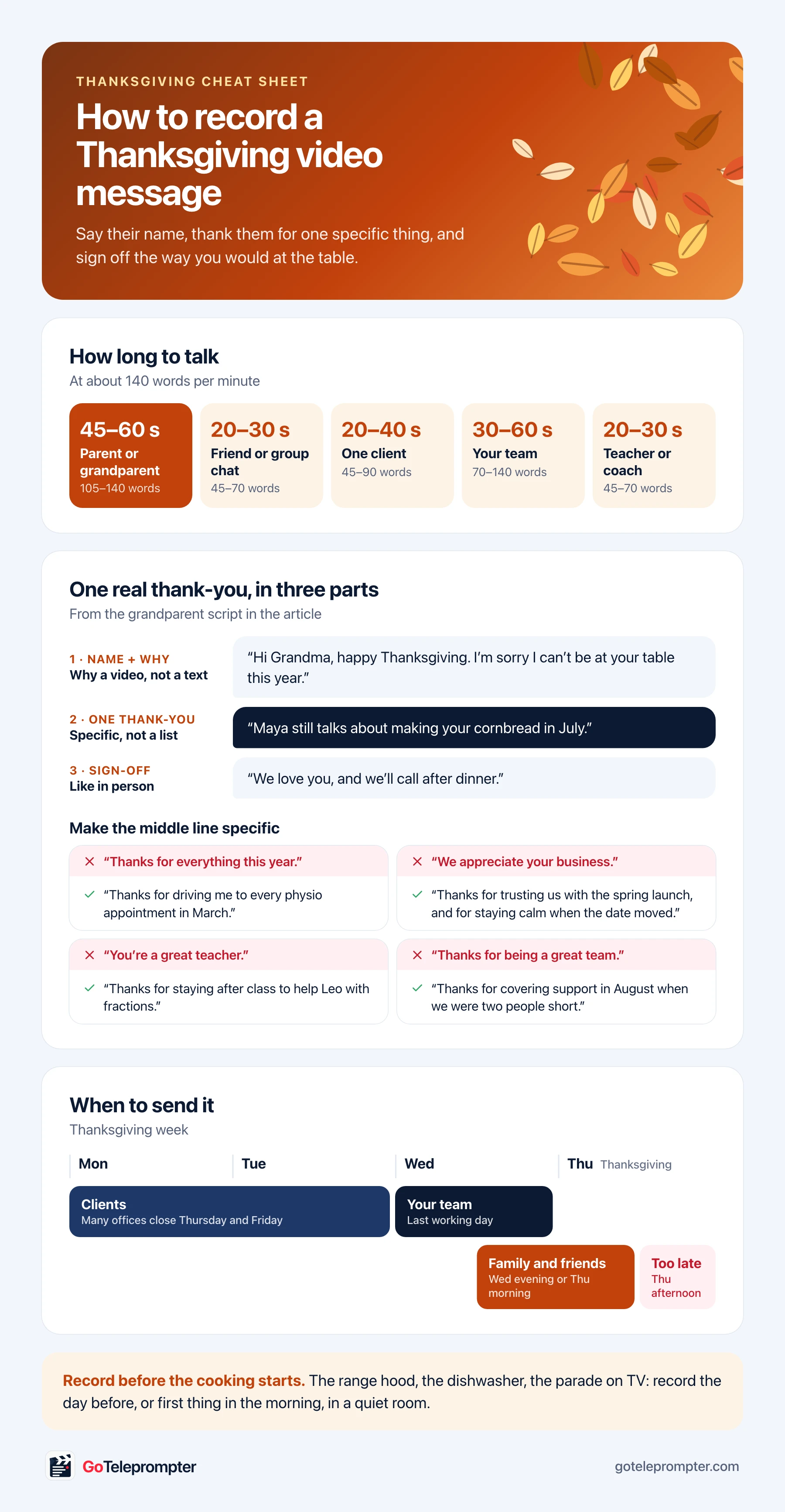
Thanksgiving video message cheat sheet
The lengths, the three parts, and when to send, on one page.
Recording it with GoTeleprompter
I build GoTeleprompter, so here's how it handles this. On iPhone and iPad you read and record in the same take, with the script over the camera. Drag it right under the lens and pick vertical, horizontal, or square framing. The video saves straight to Photos, ready to send.
If you've written the message in full, Voice Follow scrolls it as you speak and waits when you pause. Voice Follow requires iOS 26, iPadOS 26, or macOS 26 or later. For client and team videos at a desk, the Mac app docks the script just under the webcam and records at up to 1080p.
Sending several messages? The apps are free for up to 2 scripts, so put all your messages in one script with a blank line between them. On Android or Windows, use the free web teleprompter in your browser. It's free, with no signup.
When to send a Thanksgiving video
- Clients: Monday or Tuesday of Thanksgiving week. Plenty of offices close Thursday and Friday, and a Wednesday email can sit unread until the next week.
- Your team: the last working day before the holiday, usually Wednesday.
- Family and friends: Wednesday evening or Thursday morning. By the afternoon, phones are face down next to the gravy.
- Missed it? For friends, the weekend after is fine. For clients, save the thank-you for your December holiday message.
When December comes, the holiday video message guide has Christmas, Hanukkah, and New Year scripts. The guide to holiday video messages for clients and your team covers the business version. Work at a nonprofit? Giving Tuesday is the Tuesday after Thanksgiving, and the Giving Tuesday video script guide has a template you can record the same week.
Ready to record? GoTeleprompter is free to start on iPhone, iPad, and Mac.
FAQ
- How long should a Thanksgiving video message be?
- 30–60 seconds for most people. That’s about 70–140 words at a normal speaking pace of around 140 words per minute. A message to a friend or a teacher can be 20–30 seconds.
- What should I say in a Thanksgiving video message?
- Say their name, thank them for one specific thing they did this year and what it changed for you, then sign off the way you would in person. One real detail beats a list of general thanks.
- When should I send a Thanksgiving video to clients?
- On the Monday or Tuesday of Thanksgiving week. Many offices close Thursday and Friday, so a message sent on Wednesday can sit unread until the following week.
- How do I record a Thanksgiving message without sounding like I’m reading?
- Put the words right under the phone’s front camera in large text, so your eyes stay near the lens. Write the opening and closing lines in full, use short prompts for the story in the middle, and record two takes.
- Can I record a Thanksgiving video message on Android?
- GoTeleprompter has no Android app, but its free web teleprompter runs in your phone or laptop browser with no signup. It scrolls at a speed you set, in words per minute.
Free online teleprompter